Job costs and profit
Know what every job puts in your pocket.
Add your costs once. Every estimate and every job then shows what it leaves you, before and after the work. Only you see the numbers.
Job profit is part of Pro. Your first job shows it free.

In plain words
The problem
A job can look good and still leave you almost nothing once the parts, your time, the fuel and the van are paid for.
What you do
Tell us your costs once: the van, insurance and the margin you want. Then make estimates as usual. Each line shows if the price is enough.
What you get
Before you send, you see what the job will leave you. After the work, you see what it really left you. Only you see these numbers, never your client.
How it works
Done. You choose the price; the app only suggests it.
Where the money goes
- Materials
- $1,050.00
- Permit and inspection
- $312.12
- What is left: your pay and profit
- $767.88$883.77
Price before tax $2,130.00$2,245.89
- 1
Add your costs once
Your fixed costs (van, insurance, phone, software), your costs per job and per mile, and the margin you want.
- 2
Check the estimate
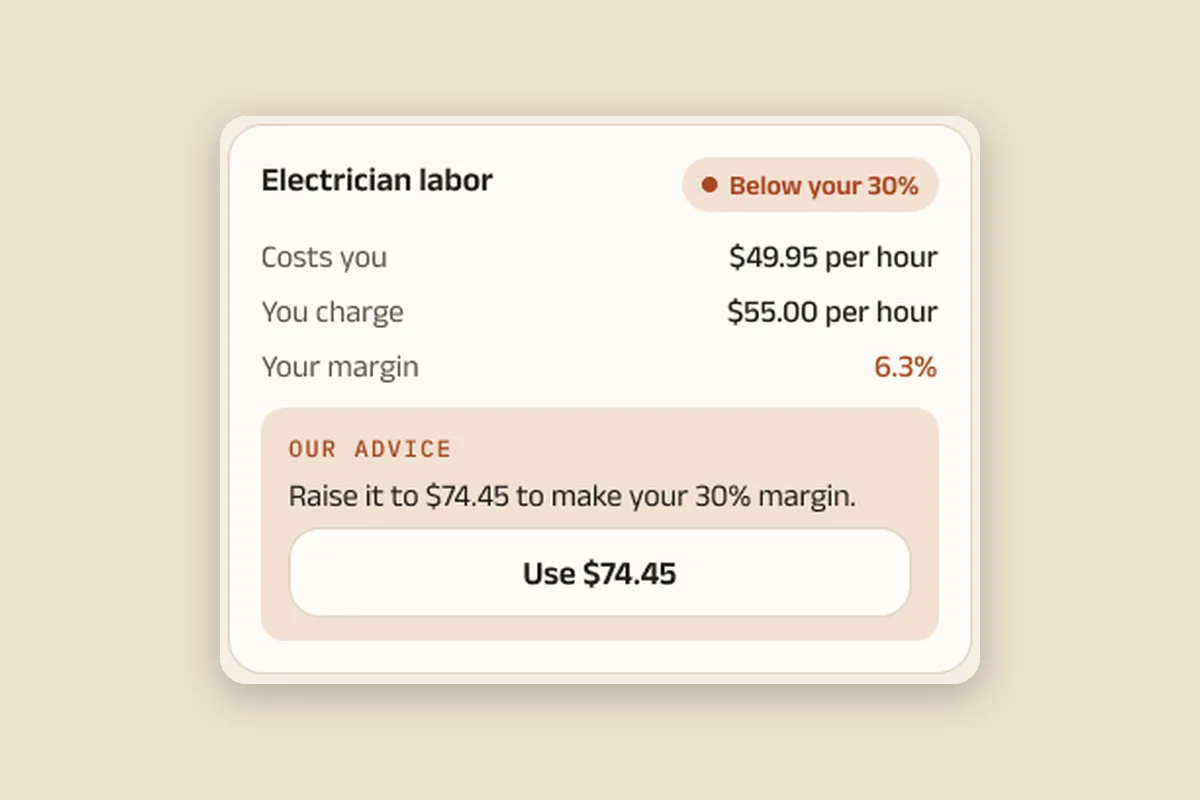
Before you send, see what the job leaves you in green, amber or russet. A line priced too low gets a price that makes your margin, such as "Use $74.45".
- 3
Add what really happened
Add receipts, hours and miles on the job. When you close it, see what you planned against what it really left you.

Your client never sees it
Your costs are kept apart from the document, so they cannot reach the PDF, the email or your client's page. Tap the eye to hide the numbers when a client is next to you.
Honest numbers
- Sales tax you collect is never counted as income.
- Changes waiting for approval are not counted.
- A loss shows as a loss in dollars, never hidden in a percent.
- Your tax set-aside is your own estimate, not tax advice.
Questions
What is the difference between margin and markup?
Margin is the part of the price you keep. Markup is what you add to your cost. A 30% margin needs a 42.9% markup, so a 30% markup leaves only a 23.1% margin.
What if I don't know my fixed costs?
Start with what you know, such as insurance and your phone. You can change them at any time, and every estimate updates.
Does it change my prices?
No. It suggests a price when a line is too low. You choose.
Can I hide it when a client is next to me?
Yes. Tap the eye on the estimate. The numbers stay hidden until you show them again.
Can my accountant get it?
Yes. Save your profit for a month, a year or all time as a CSV file.
Send your first estimate today.
Get startedFree plan available. No credit card for Free.